
Here’s the trick. You want EVERGREEN traffic.
Evergreen means the traffic continually comes to you with little to no effort. A lot of people are using a misguided technique for using hashtags and most people have no hashtag strategy at all. We’re going to help fix this for you.
First, we’re going to explain how Instagram works, a brief description of what to do, an explanation of my experiment, and the exact step-by-step actions you need to take to make this work.
This way, you can get the big picture and understand why and how everything works. If you understand how everything works, it’s easier to follow the instructions and easily find a way around any obstacles that might show up.
How does Instagram work?
Instagram is an image search engine and it uses hashtags to file images into specific categories in order to help people look for specific image themes. Instagram’s goal is to keep people on their platform, so it’s in their best interest to show only the most relevant and popular hashtags.
When images are posted to Instagram, they’re ranked according inside their respected categories (hashtags) according to the number of engagements, the popularity of the account posting the images, and the relevancy of that image (if they’re looking for knives and you post a picture of a dolphin, then people looking for photos of knives won’t like your dolphin picture).
Instagram works just like google where your account is like your website. The more backlinks (followers, likes, and comments) that your website has, the higher Google will rank your website for a keyword.
So if someone is looking for something specific and types it into the search bar, you will be one of the first results that show up. The same applies to Instagram IF you follow the rules.
Let’s use an example: You currently get less than 50 likes on your images. If you get less than 50 likes, how could you possibly out-rank an image with 50 million likes?
You can’t.
You need to use hashtags where the top 6 posts have an average amount of 50 likes or below. Why average? Because sometimes you have moron influencers using the wrong hashtags, which inflates the requirements to land on the top 6 posts.
The Hypothesis
I’ve tested this with 30 mixed hashtags, 30 medium hashtags, and 30 popular hashtags, and 30 low traffic hashtags over several months with the same photo and a brand new account in order to isolate the variables.
Experiment 1:
Controlled variables: 30 hashtags, 0 followers, photo
Independent variable: hashtags with varying levels of popularity
Experiment 2:
Controlled variables: 5 hashtags, 0 followers, photo
Independent variable: hashtags with varying levels of popularity
What do you mean by popularity? Popularity means how many posts are in a hashtag and how many likes and comments the top 6 posts have.
The result from the test: 400% increase in likes and traffic on brand new accounts.
Here’s how I tested my hypothesis
Experiment 1 Execution: I created 4 new accounts and posted the same picture using different popularity levels.
Account 1: 10 high/10 med/10 low
Account 2: 30 high
Account 3: 30med
Account 4: 30 low
Results: Accounts 1 and 3 had roughly the same results. I think it was around 30 hashtag reach.
Account 2 averaged about 30.
Account 4 averaged about 50-70.
What is reach? Reach is the number of people that have seen your Instagram post. The more people that see your image, the more opportunity to gain likes and followers.
Experiment 2 Execution: I created 4 new accounts and posted the same picture using different popularity levels.
Account 1: 5 high/5 med/5 low
Account 2: 5 high
Account 3: 5 med
Account 4: 5 low
Results: Accounts 1, 2 and 3 had roughly the same results (around 20 reach).
Account 4 averaged about 30-40 reach.
Experiment 1.1 Execution: I also tried lowering hashtag count on a client’s account (climbed from 1k-1.5k followers in a week, but since variables weren’t isolated it’s hard to say what actually happened.)
Results: Mixed 10 high/10 med/10 low: 400 reach
Mix 15 med/15 low: 4k reach
Experiment 2.1 Execution: On the same account.
Results: 5 high pop hashtags: Averaging 30 reach
5 medium hashtags: Averaging 100 reach
5 low pop hashtags: 30-70 reach
I’ve also tested this on an account with 30,000 followers which resulted in landing on the explore page more often.
Experiment Conclusion:
High popularity hashtags (very competitive hashtags that have top posts with a very high amount of likes and comments) are too competitive for small accounts and don’t have any effect on the account’s post reach.
Using hashtags where the account has a reasonable chance to compete for the top spots produces better results. I noticed that I also received more likes on posts in the newer accounts with low popularity hashtags.
Around 10 more likes on average. So if high popularity hashtags supposedly help the account grow more, then why would low popularity hashtags get the same amount of likes or more?
I also noticed the likes with high and medium popularity hashtags quickly halted after about 30 minutes to an hour. Low popularity hashtags would continue to drop in for a few hours.
This means the post was hitting the top spot for the unpopular hashtags. After I ran these experiments I organically grew reach on the 1k follower account from 4k weekly reach to nearly 20k the next week.
This Is What You Need To Do Differently:
Step 1.) Go to https://displaypurposes.com/
Step 2.) Type in a very broad keyword related to your niche.
Step 3.) Click “copy mode”
Step 4.) Click “five dots” to remove the dots.
Step 5.) Add the hashtags into a notepad and remove any that aren’t niche specific enough. Sometimes hashtags will be used for two completely different niches. Remove these.
Step 6.) Copy the hashtags, click the back arrow in your browser and paste them into the search bar.
Step 7.) Click “Auto” and move the slide from 30 to infinity.
Step 8.) Rinse and repeat until you have a ton of hashtags.
Step 9.) The hashtags are graded by relevancy and popularity. This will make your work a little faster, but don’t rely on these as factual.
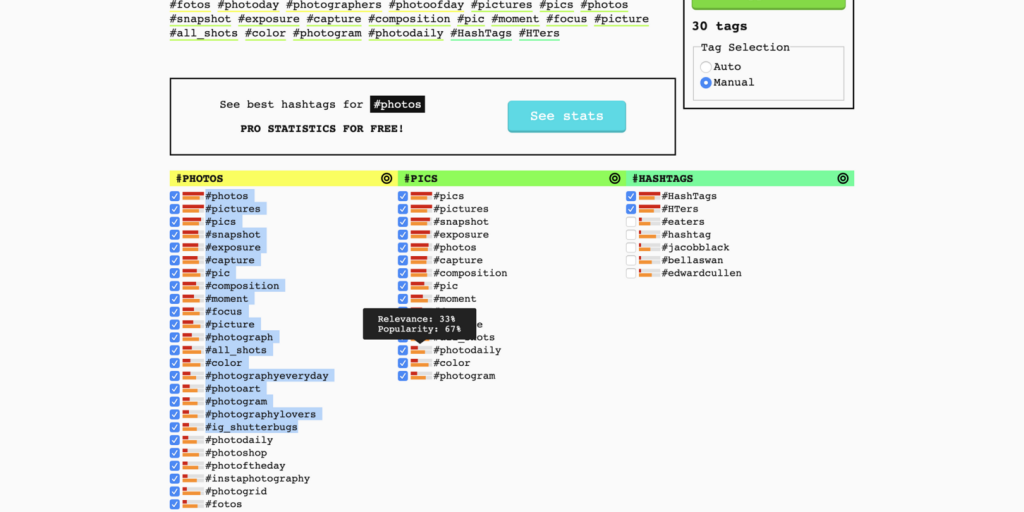
The reason why these are useful is step 12. It will help you speed up the process of manually checking each hashtag to find something that you can rank for.
After a while, you get an idea of what popularity/relevancy scores are applicable to your niche.
Step 10.) Select and copy a row of hashtags
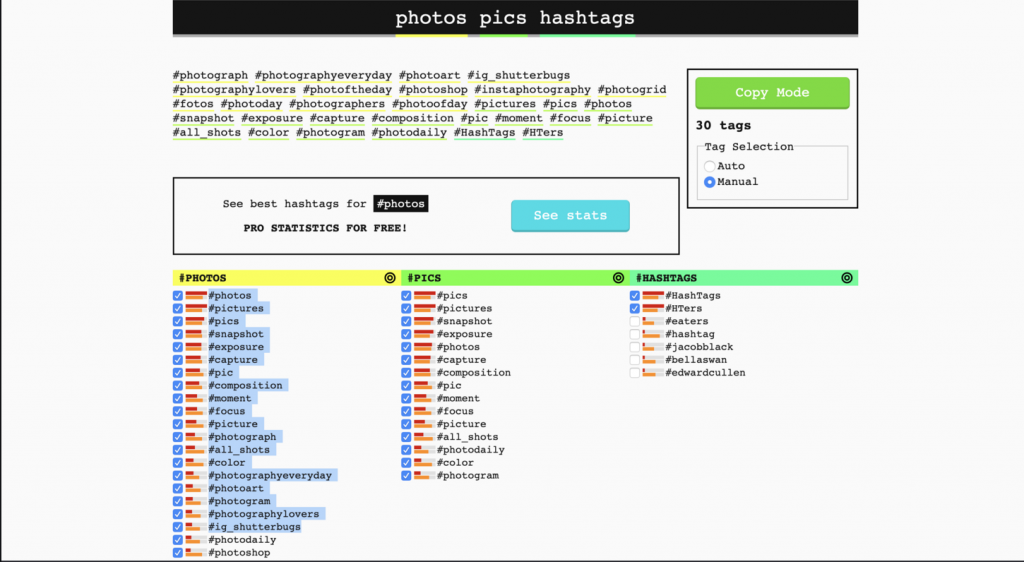
Step 11.) Paste the hashtags into the “A” column of Google docs named hashtags.
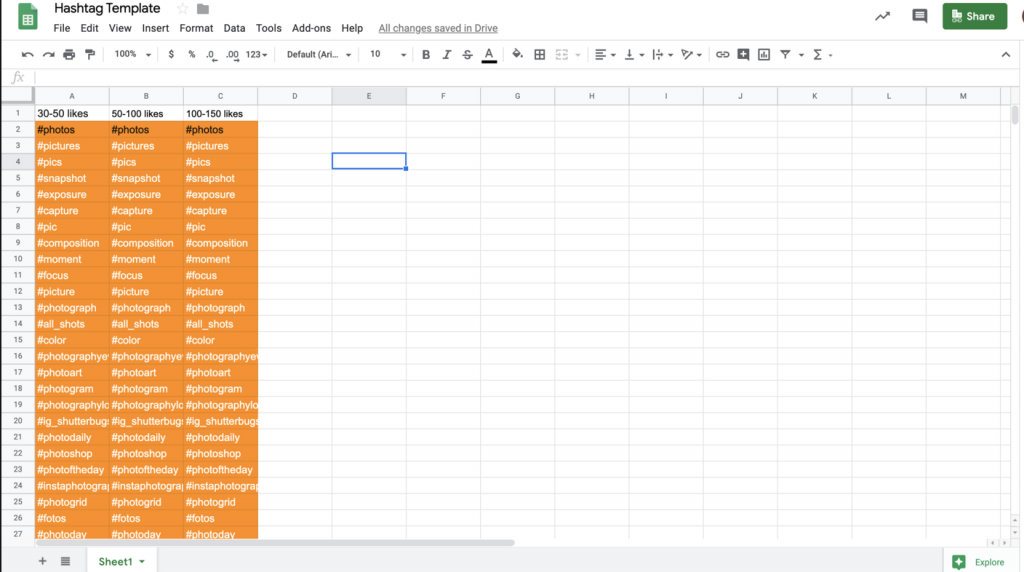
Step 12) Make a column B named “post count”, then column C named “Tier/Likes”. OR just make columns and organize them by what the average likes and comments on the top 6 posts are.
Go through several hashtags with different popularity levels. Go to Instagram and put them into the search bar. Take a look at the top 6 photos for every hashtag. How many likes/engagements do you need in order to rank for that hashtag?
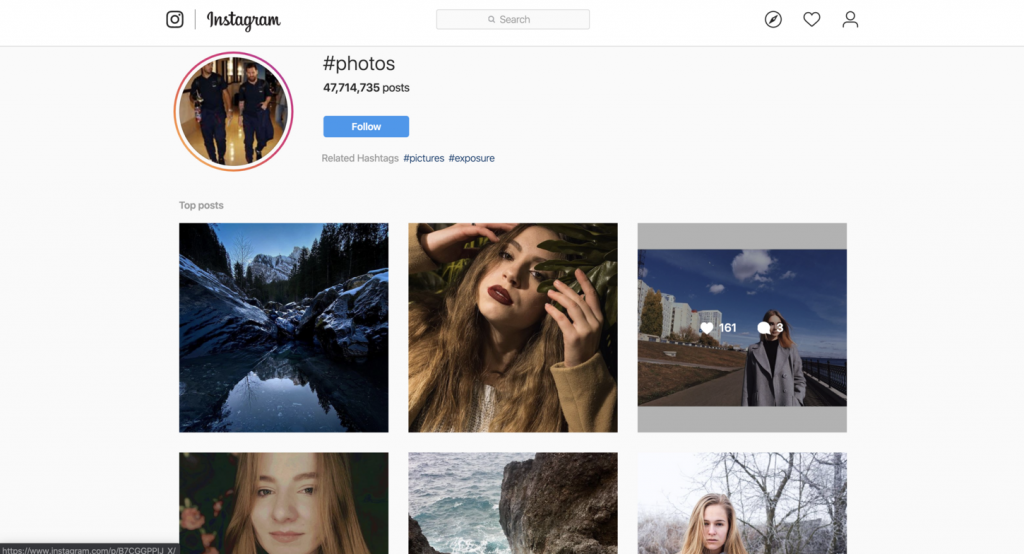
Here’s an example.
I took the hashtag “#photos” and looked at the top 6 posts.
The average follower account for the accounts in the top 6 was about 1,500 followers, average post likes were in the 250-400 range, comments in the 10-15 range.
13.) Only use hashtags that give you a chance of reaching the top 6 posts.
In the example from step 12, if you don’t have about 1,500 followers and you’re not getting a lot of likes, then don’t use that hashtag.
Aim for something lower. The same applies if you have way more than 1,500 followers, look for something that will be closer to your limits.
14.) Enjoy 400% more reach.
![Optimal FB Ad Account Structure [Advanced Tips]](https://jakelichstein.com/wp-content/uploads/2020/08/morning-brew-M9ISVxFqGWI-unsplash-scaled-570x524.jpg)